Interview, then mockup
Four questions and a clickable mockup before a single line of code. Nobody starts from a blank prompt.
1YAIB asks a few questions and shows the cost up front, then builds your app while you watch, with a real database and sign-in. It tests its own work and publishes it to its own address. Build time depends on the app and the checks it needs.
Four questions and a clickable mockup before a single line of code. Nobody starts from a blank prompt.
1Ask for a change in Arabic or English. You see every file it touched, and one tap undoes it.
2Every app gets its own database, sign-in and file storage (beta). Publish it to its own address, roll back instantly, and connect your own domain.
3Every build runs the app’s own tests, a typecheck, a render of every page, and RTL and accessibility checks inside an isolated sandbox. You see the checklist, not a promise.
Describe your app, then review its build plan and estimated cost before approving the work.
Start buildingYou see the cost before anything runs. When the agent fixes its own mistakes, that’s on us: those fixes cost 0 credits.
Your request becomes a plan across twelve layers — from requirements to monitoring — so nothing important is skipped. Hidden by default, one toggle away in Pro mode.
Goals, users, scope and acceptance criteria from the interview.
Screens, navigation and the clickable mockup.
Tokens, typography, RTL/LTR components, dark mode.
Next.js pages, state, forms, accessibility.
Postgres schema, Drizzle migrations, seed data.
Route handlers, validation, jobs, typed API.
Sign-in, roles, row-level isolation per tenant.
Your app connects its own payment keys (Moyasar, Tabby, Tamara, HyperPay, Stripe), plus email and WhatsApp.
In-app AI features, tools, MCP servers.
Secrets, headers, rate limits, PDPL residency.
Vitest, Playwright e2e, visual and Arabic checks.
Budgets, deploy, uptime, errors and the fix agent.
Earlier apps built with Nawa, the engine used by YAIB, each with a database, sign-in and admin panel.
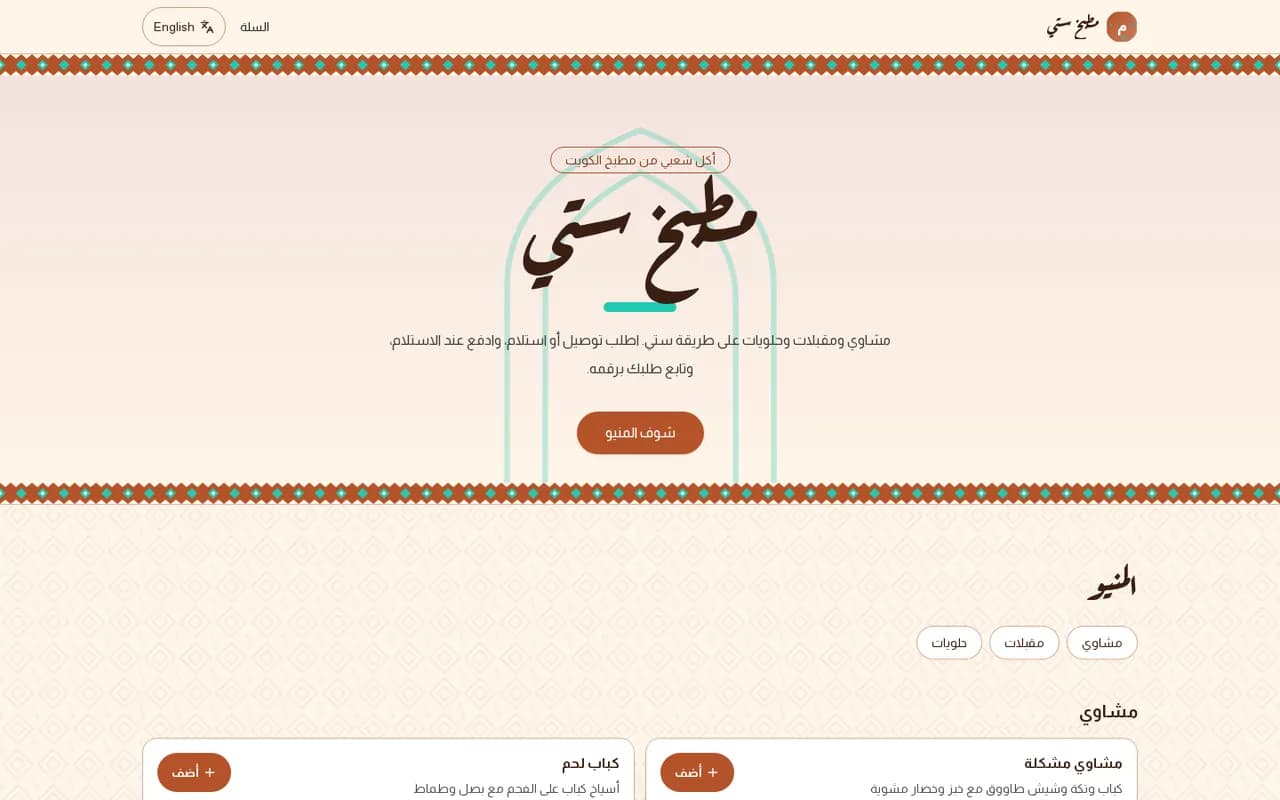
A menu and delivery orders the staff can track
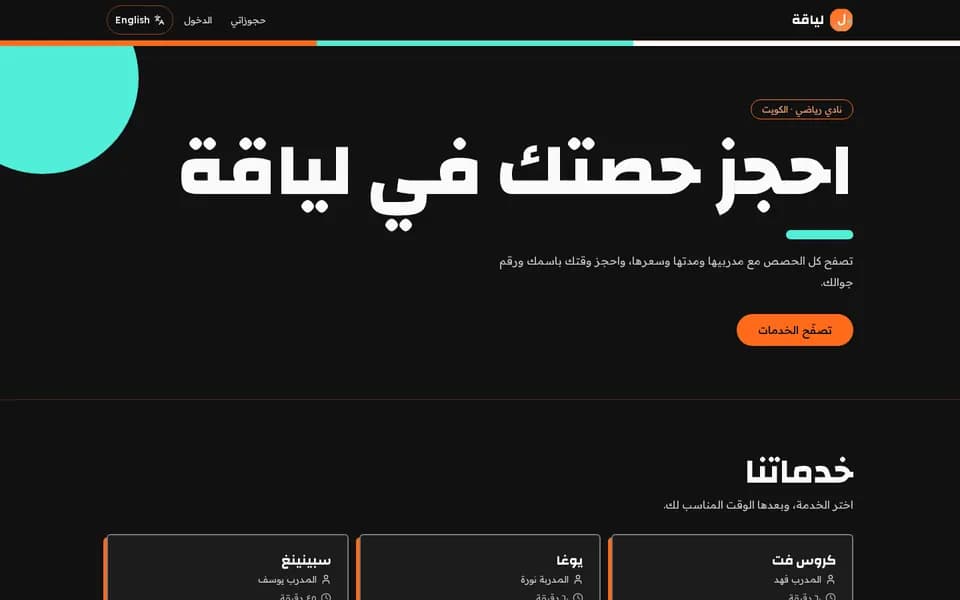
Memberships and class booking, with an admin panel
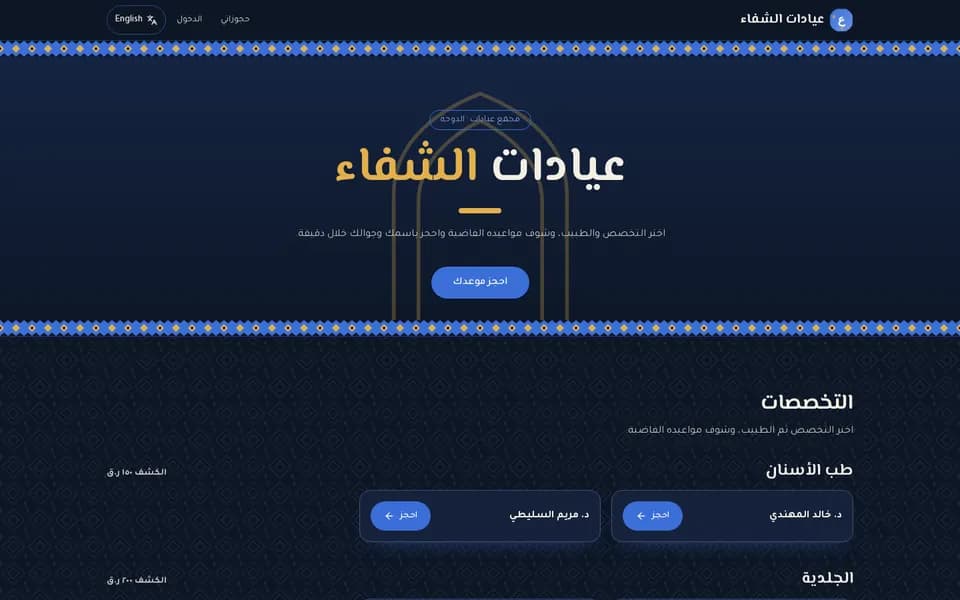
Doctor schedules and appointment booking
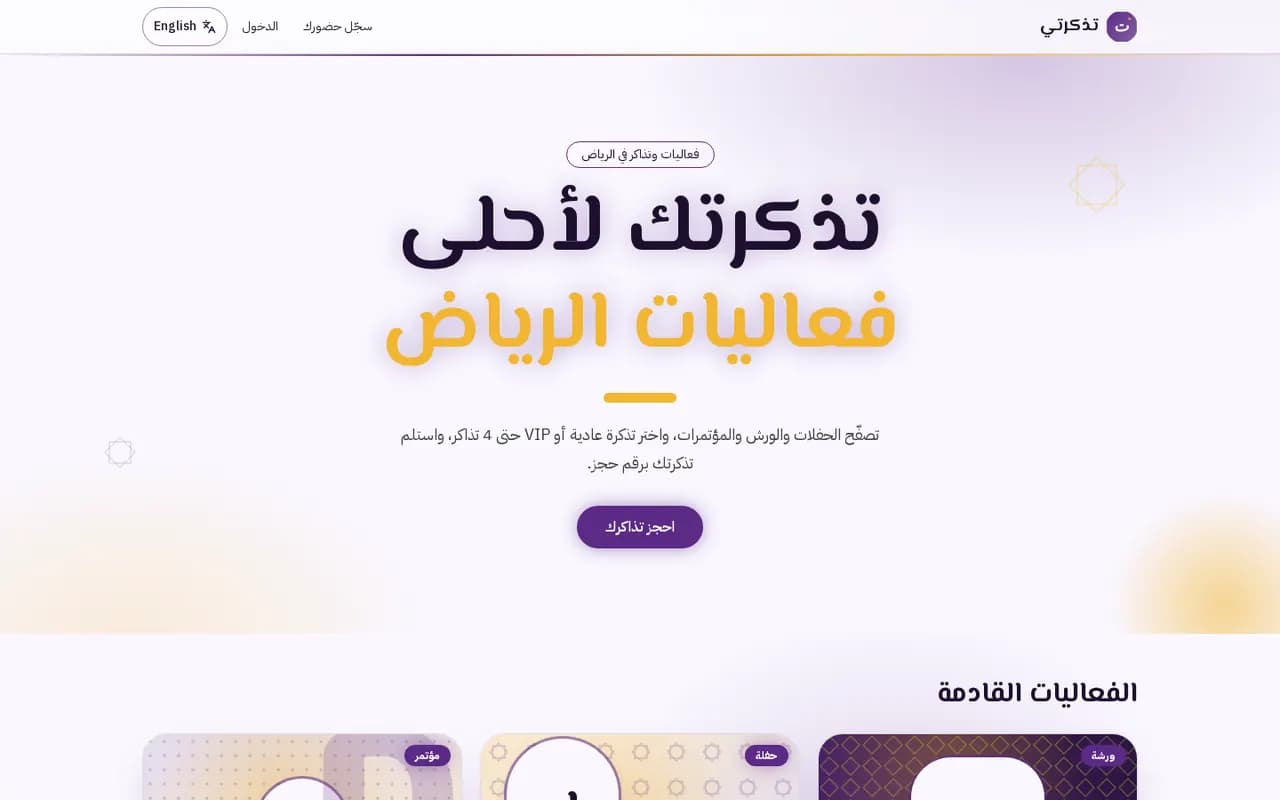
Riyadh events with ticket tiers and limited-seat booking
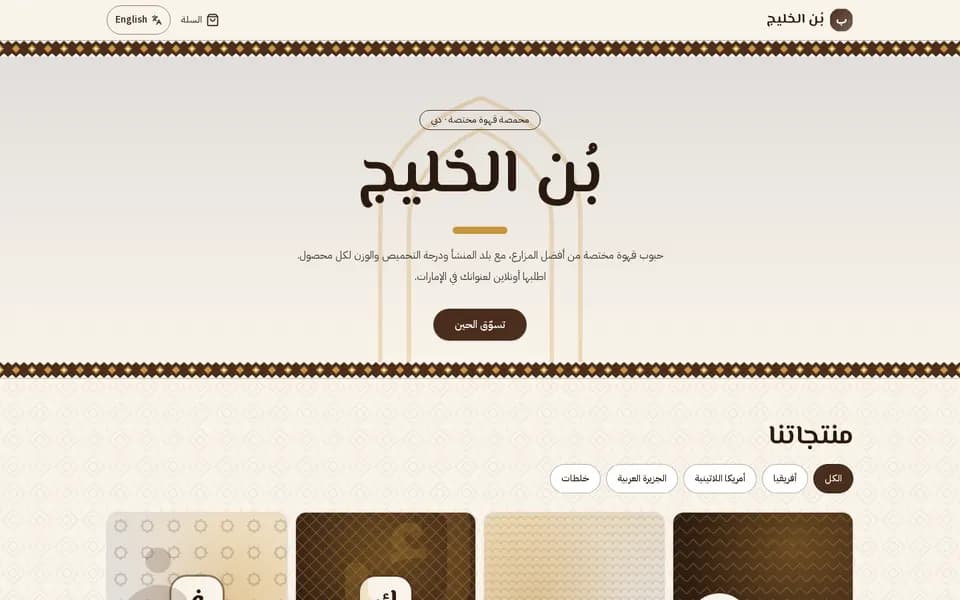
A coffee shop with online orders and an admin panel
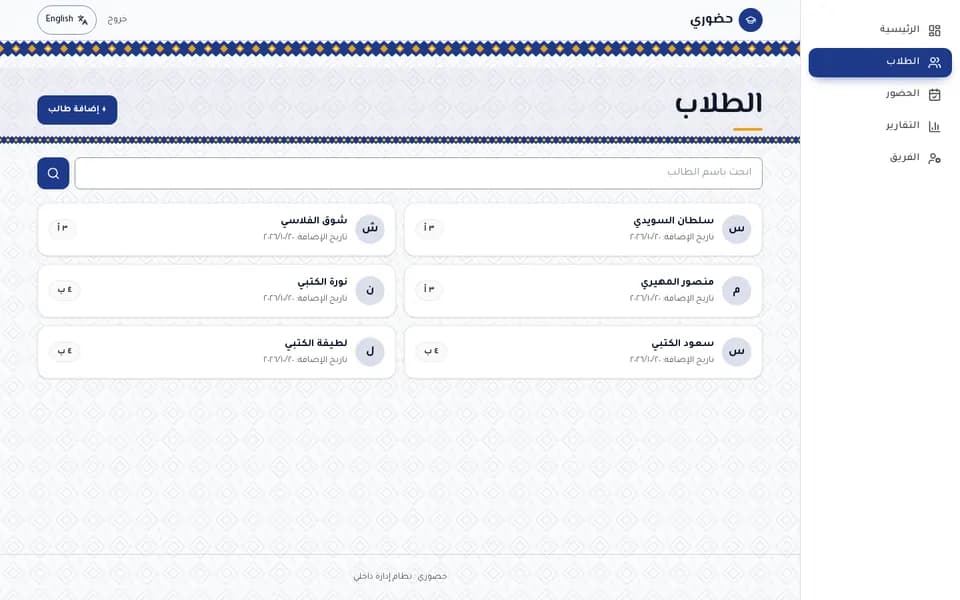
Students, attendance and reports for a primary school
Right-to-left from the first pixel, a ready checkout page you connect to the payment provider you choose, and Arabic checked on every build.
Catches left/right-only styles that break in Arabic, and checks every page’s direction, language and alt text.
Say “add payments” and your app gets a checkout page with VAT-inclusive prices that you connect to the payment provider you choose, on your own keys, or cash on delivery (beta). It runs in test mode until you add live keys.
Today databases run in a region near the Gulf. Pointing an app’s database at a Postgres hosted in KSA or the UAE is coming soon, with no rewrite.
Arabic and English in one app
Start with a business template and its design direction: restaurants, clinics, salons, stores and more, in Arabic with your country’s currency. Then change anything by chat.
Browse templatesFree to start · no card · fixes never cost credits